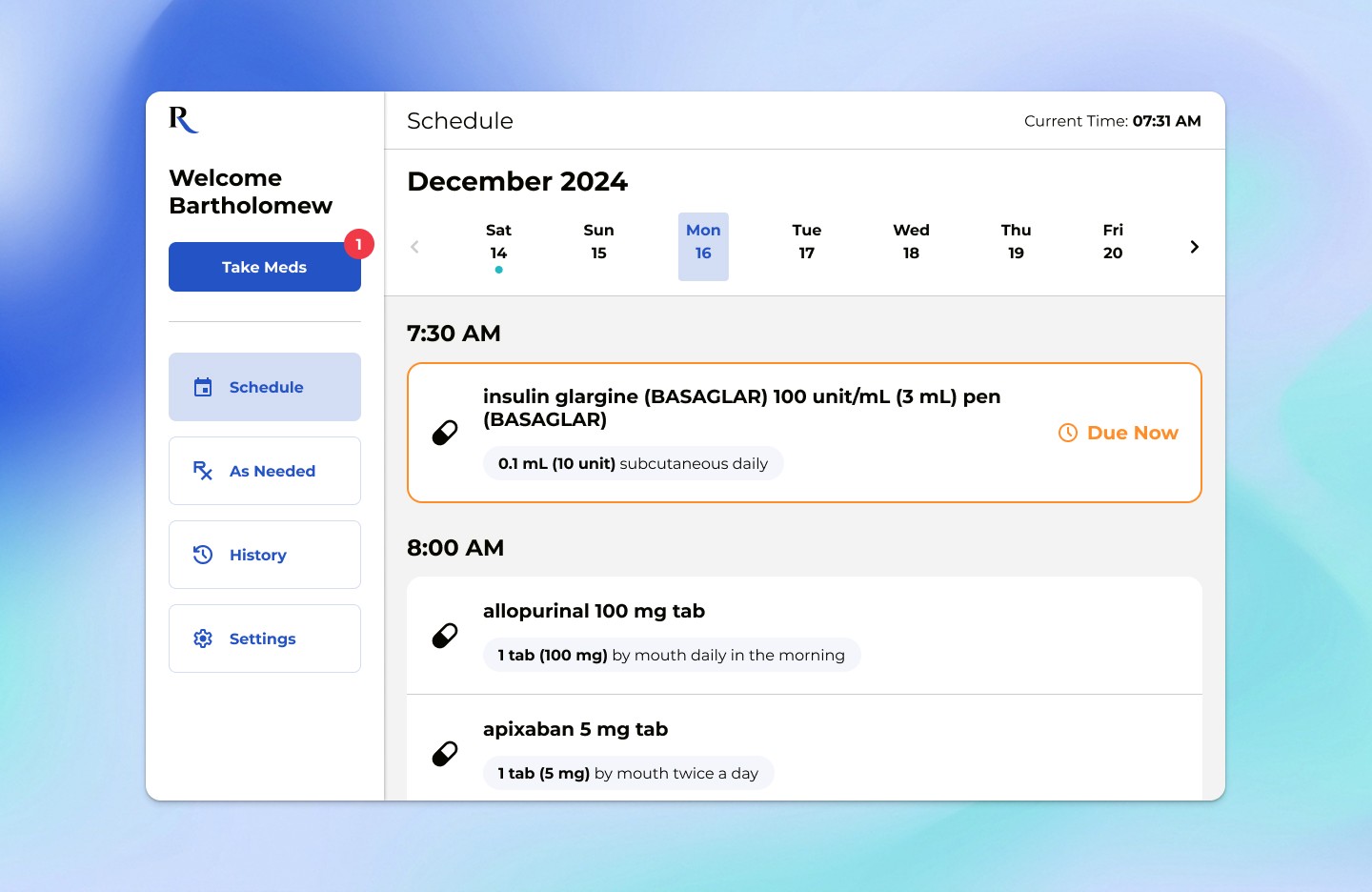
Remy is a tablet app that helps patients track their medications when recovering at home after a hospital stay. The app is built to handle the unpredictable nature of daily life while still giving doctors the accurate tracking data they need.
I co-designed Remy with our product lead, working directly with the CEO and CTO of Bridge Health Solutions, our hands-on partner on the project. My focus was the patient-facing tracking experience, from mapping real-world dose exceptions to the inline logging interactions.
My Role
Interaction design, patient flows
TEAM
PLATFORM
TIMELINE
Challenge
Prescribing perfect schedules ignores how recovery actually happens at home.
Most health apps expect a perfect world where a patient takes the exact right dose at the exact right minute. But at home, routines break down. People sleep in, get interrupted by family, or need to change their dose based on how they are feeling that day.
When a tracking app is too rigid, two things happen:
Extra steps
Users have to fight the screens just to log a small change, like manually correcting a time or digging through menus to edit an amount.
Inaccurate data
If logging a mistake is too annoying, people just skip it entirely or log it incorrectly just to clear the reminder. This leaves doctors with a misleading picture of the patient's recovery.
Mapping the real-world exceptions
The layout needed to account for the two biggest areas where strict medical plans clash with normal home routines, making sure the interface could adapt easily:
What the plan expects:
Perfect timing
Taking a pill at a specific, set time.
Fixed doses
Taking the exact same amount every day.
What actually happens:
Delays
Taking a pill hours late because the morning routine got disrupted.
Changes
Taking a half dose or a modified amount based on live symptoms.
How the screen needs to adapt:
Smart statuses
The interface uses the recorded time to instantly categorize the entry as "delayed" instead of "missed," updating the daily view without requiring the user to explain the gap.
Inline adjustments
Adjustment buttons sit right on the main card instead of being hidden inside an advanced menu.
The solution: handling changes right on the main screen
Instead of making separate, complicated paths for "late" or "changed" entries, the app uses a single row that handles tweaks right where the user already is.
Handling late entries without extra steps
When a user logs a medicine past its due time, the app doesn't show an error state or force them to scroll through a clock widget to change the time. Tapping the main button simply saves the current timestamp. The app calculates the delay in the background for the medical team, keeping the user's job down to a single tap.
Changing doses without leaving the page
When a patient takes a different amount than prescribed, such as a half dose on a rough day, they adjust it right on the medication card. There’s no separate edit screen and no advanced menu. The change is saved as a dose variation, so the patient isn’t marked as non-compliant and the care team sees exactly what was taken.
Better data through simpler actions
Because logging a variation takes only a couple of seconds, the design removes the main reason patients skip entries. The goal is a realistic view of recovery for the care team, instead of a timeline full of blank, skipped days.
Where it stands
Designing for real-world exceptions from the start meant the core tracking screen could handle delays and dose changes natively, without bolting them on later. When I left Excelar, we were in early talks with hospital-at-home teams to gather feedback before a pilot.